Made in Kiju · Gate Zero, episode 1 · The Same Order
Make a vertical drama on your Mac.
A vertical drama, or microdrama, is a story told in short episodes made for a phone: 9:16, for TikTok, Instagram Reels or YouTube Shorts. Kiju makes one from a sentence. It writes the script, draws the storyboard with a voice for every line, films each shot as AI video and cuts the episode; you decide at every step. The look, the cast, the places and the voices are made once and reused in the next episode.
Here is one: the first episode of Gate Zero, made in Kiju from a single sentence.
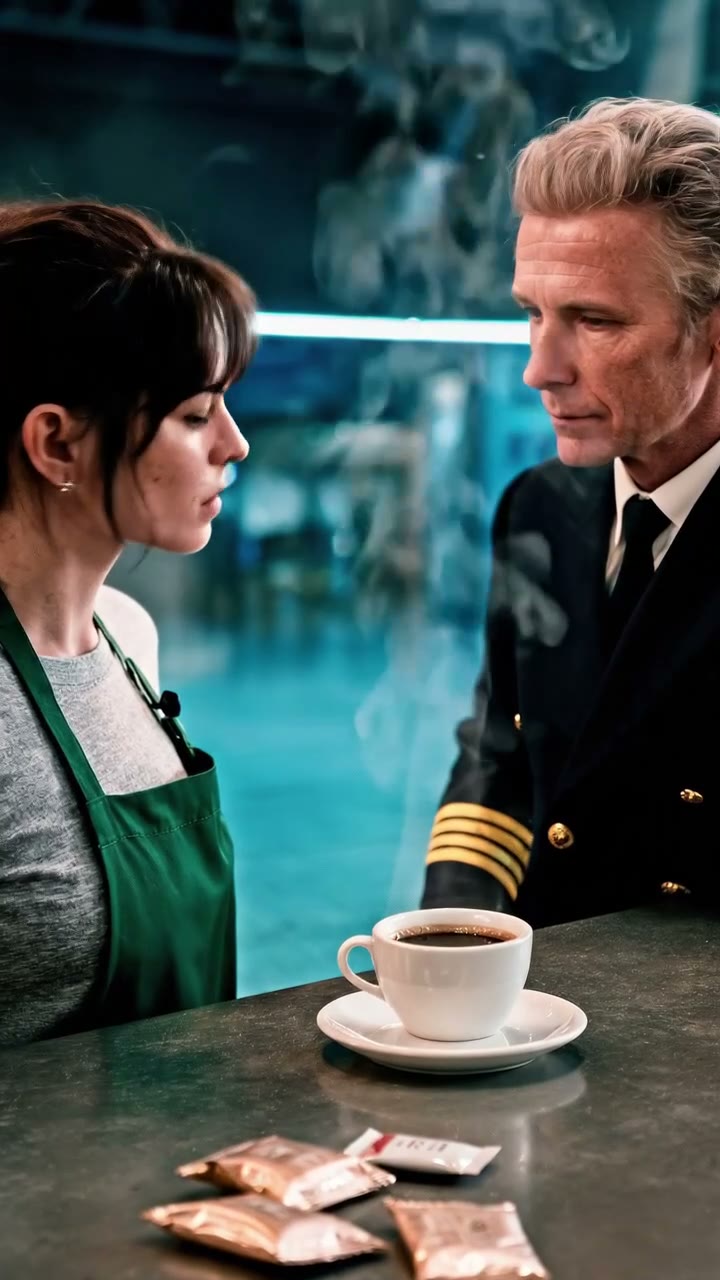
Transcript
That's my handwriting. I didn't write that.
Black coffee. Three sugars. Please.
You're the first customer since midnight. And you're dressed for 1995.
I'm told I'm late. I'm always late.
This exact order was rung up ten years ago. To the minute.
Then you understand why I came back.
I don't know you. Who are you?
Captain Elias Vane. Flight 217.
That flight never landed.
Your father said you'd make it right.
The sentence it started from
“At 3 a.m., an airport barista gets the same order from a pilot whose flight left ten years ago.”
Episode 1 · The Same Order · 1:04 · fourteen shots · a cast of three · 9:16 · made in Kiju by APITHINGS · AI-generated
Made in Kiju by APITHINGS on the studio’s OpenRouter account. The images, the video, the voices and the music are AI-generated.
The episode is in English, its lines burned into the picture as it was posted.
From one sentence to the post, in four steps
What Kiju did at each step, what was left to decide, and what OpenRouter billed for it.
Script
The show’s plan and the screenplay, shot by shot
- Kiju does
- The show’s title, the season’s plan, the cast, the places, and the episode shot by shot.
- You decide
- Change any line, any shot, any character, or rewrite a shot with a note.
Billed$0.040262
Board
The storyboard: a picture and a voice for every shot
- Kiju does
- One look, a portrait and full body per character, a picture per place, a picture for every shot, and a voice for every line.
- You decide
- Play the board before anything is filmed. Redraw a shot with a note; the price is on the button.
Billed$1.0945675
Film
The AI video, shot by shot
- Kiju does
- Films each shot from its picture: moving, lips in sync with the line, or held still.
- You decide
- Watch the take, say what should change in the next one (the desk’s own example: “his hand keeps five fingers”), and choose the one for the cut.
Billed$5.12
Cut
The edit, the music and the captions
- Kiju does
- Music, captions and every line on a real timeline. Then it watches the cut and lists what does not match.
- You decide
- Trim a shot, hold its last frame. Fix what Kiju found, or leave it as it is.
Billed$0.329638
What it cost
$6.5844675
Billed by OpenRouter to the studio’s account, for everything this episode needed: the show’s plan, look, cast and places, and the episode’s takes and retakes. It is this episode’s bill, not a price promised for yours.
The desk shows $6.73 for the same work, and $6.33 for the episode alone, the show’s plan, look, cast and places apart: it rounds each take up to the cent before adding them. Two clips that failed were not billed.
Kiju itself is billed separately: your first episode is free in Kiju, then €29 a month. The AI is billed by OpenRouter, at its prices, to your own account, and every button shows its price before you press.
Every recorded bill, line by line →Watch it being made
Five films show this episode made on screen in Kiju, from the sentence to the writing of episode 2.
What you need
A Mac with Apple silicon and macOS 13 or later, and an OpenRouter account for the AI. Kiju is in English and French.
Download Kiju