Guide 2 of 8 · Channel · 5 steps
Approve a rule, retire one with a reason
The bible holds the channel’s direction. A proposal waits until you decide; what you set aside stays in the bible, struck through, with its reason.
- At the end
- One proposal in the direction with your reason, one set aside: struck through, kept, never deleted.
- Before you start
- A channel open (guide 1). The steps use the sample channel, Wind-Up City.
- Proposals waiting in its bible: the sample channel has two, marked Agent.
Find what waits for you
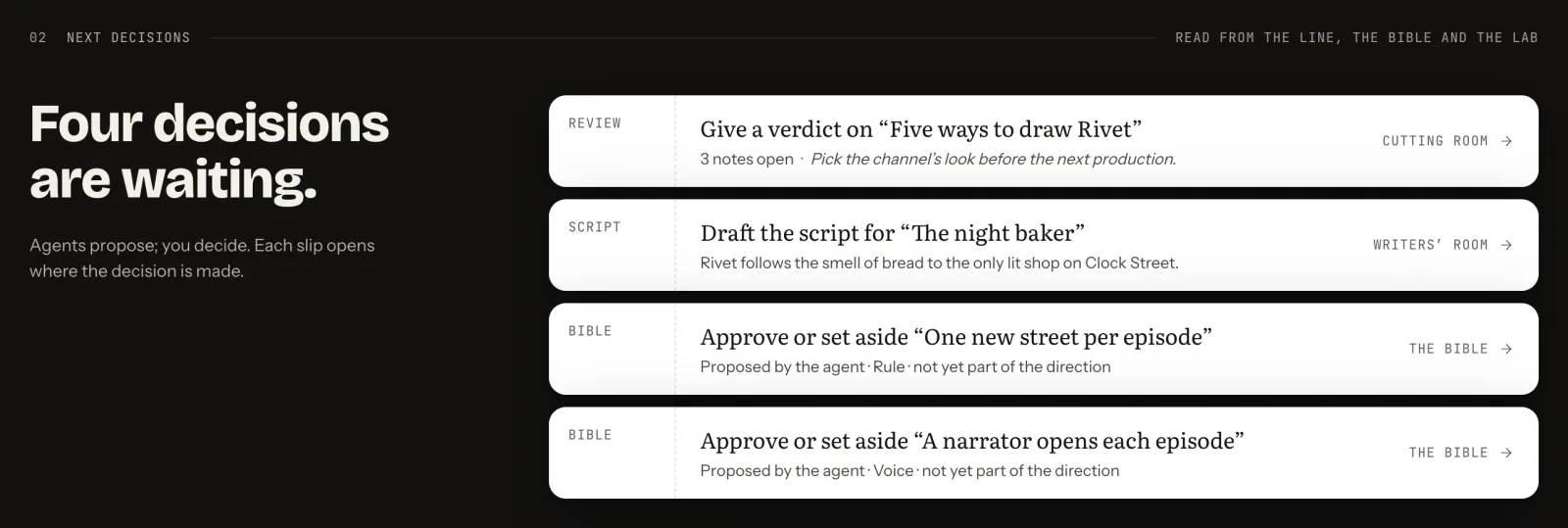
On the channel page, the next decisions list what the channel is waiting on: a cut to review, a script to draft, and each bible proposal. Press a slip, such as Approve or set aside “One new street per episode”: it opens where the decision is made.
 (Open the full picture)
Read the proposal
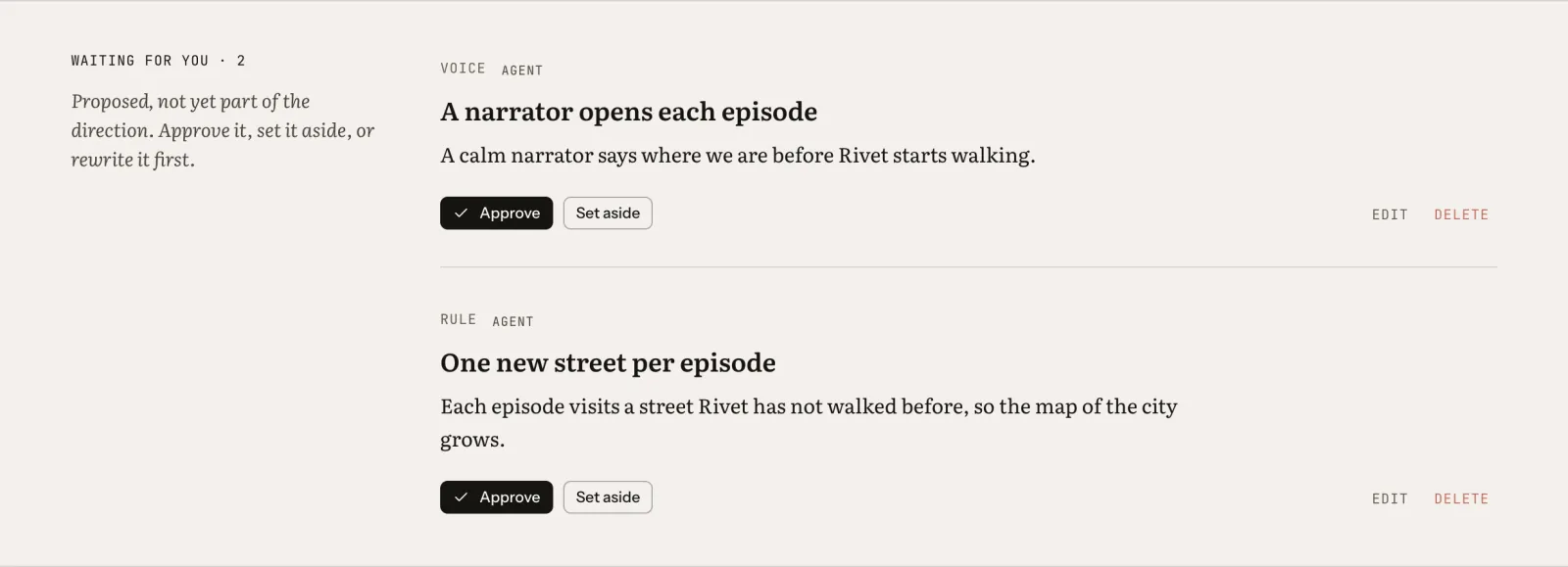
In the bible, proposals wait apart, under “Waiting for you”: proposed, not yet part of the direction. Each shows its kind (a rule, a voice…) and who wrote it, marked Agent when an agent did.
Until you decide, a proposal does not bind anyone. When the writer, the director or a check reads the bible, the desk hands them the approved entries as the direction and the proposals apart, as not yet approved.
 (Open the full picture)
Approve it, with a reason
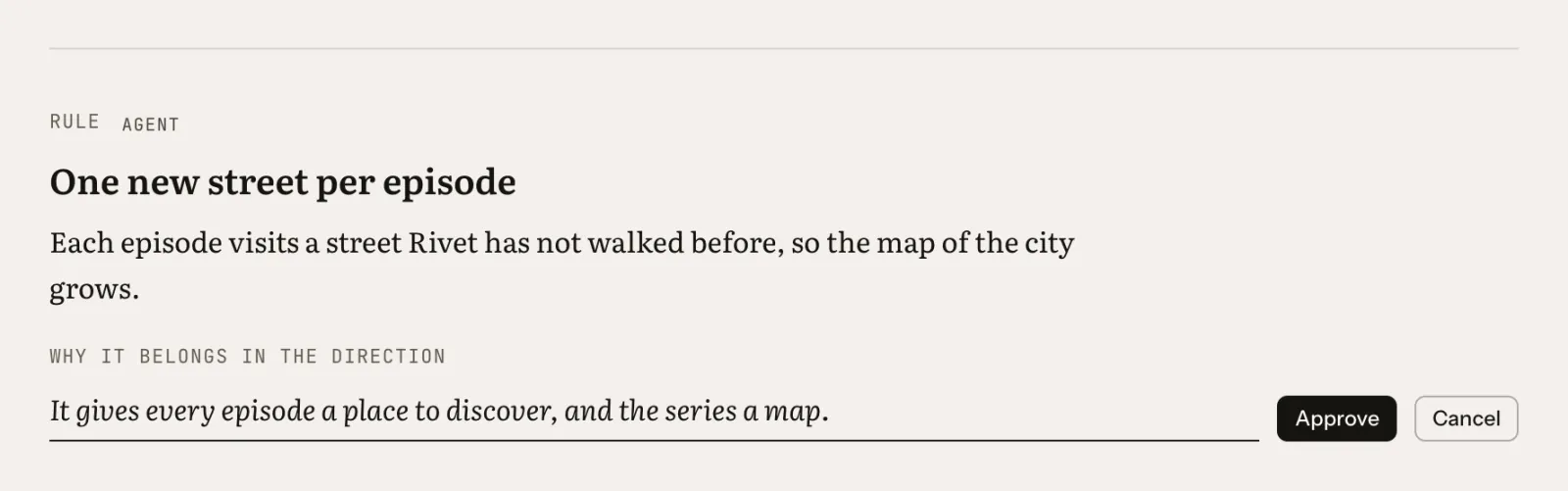
On “One new street per episode”, press Approve. A line asks why it belongs in the direction. The reason is optional; it records why you approved the rule, for you and for whoever works on the channel next. Press Approve again.
 (Open the full picture)
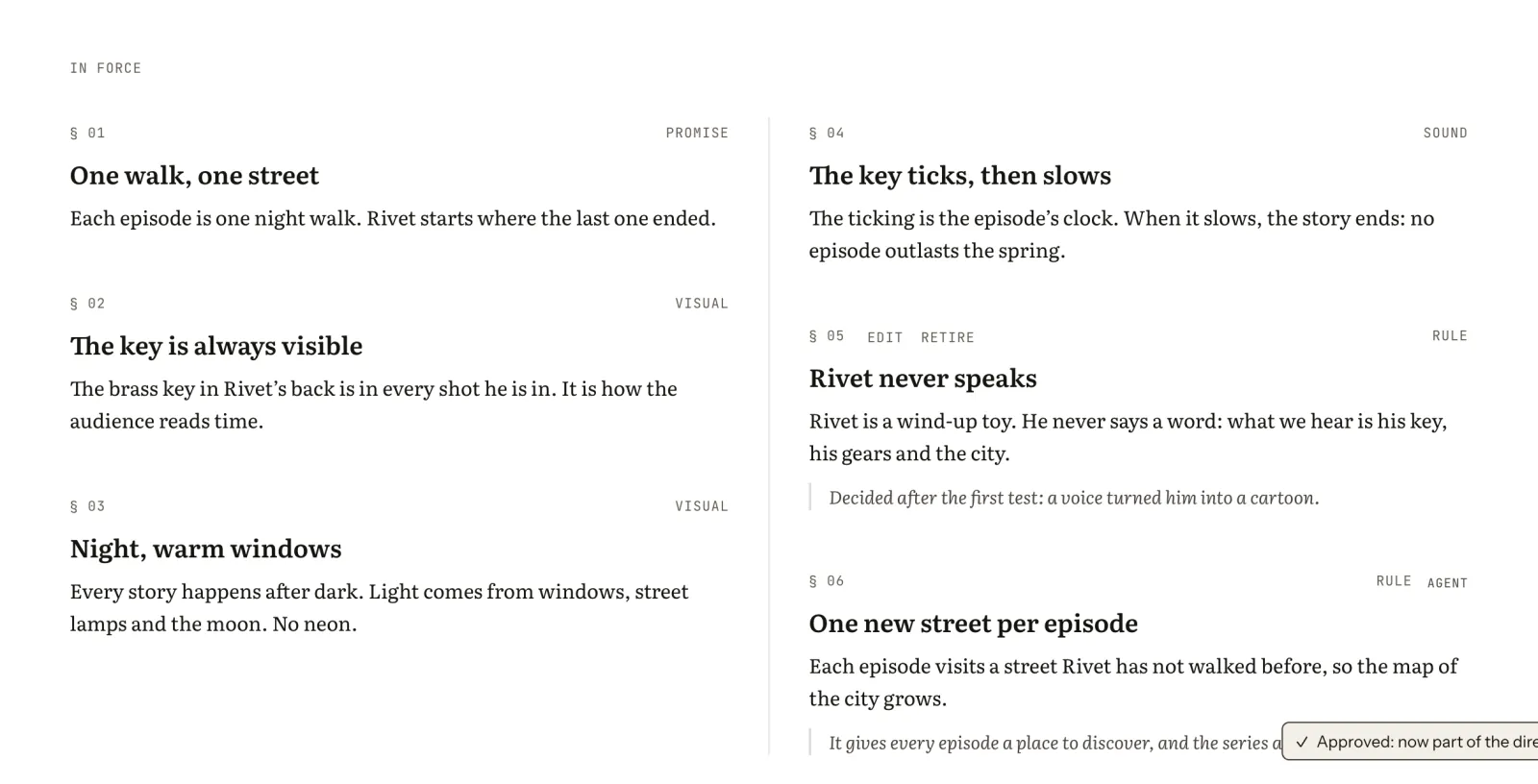
The entry moves under “In force” with its reason, and the desk confirms: “Approved: now part of the direction”. From now on every writer, director and check reads it as binding.
 (Open the full picture)
Set the other aside
On “A narrator opens each episode”, press Set aside. This time the reason is required: one line, under “Why set it aside”. It stays in the bible, struck through, with that reason. The button stays grey until the line is written.
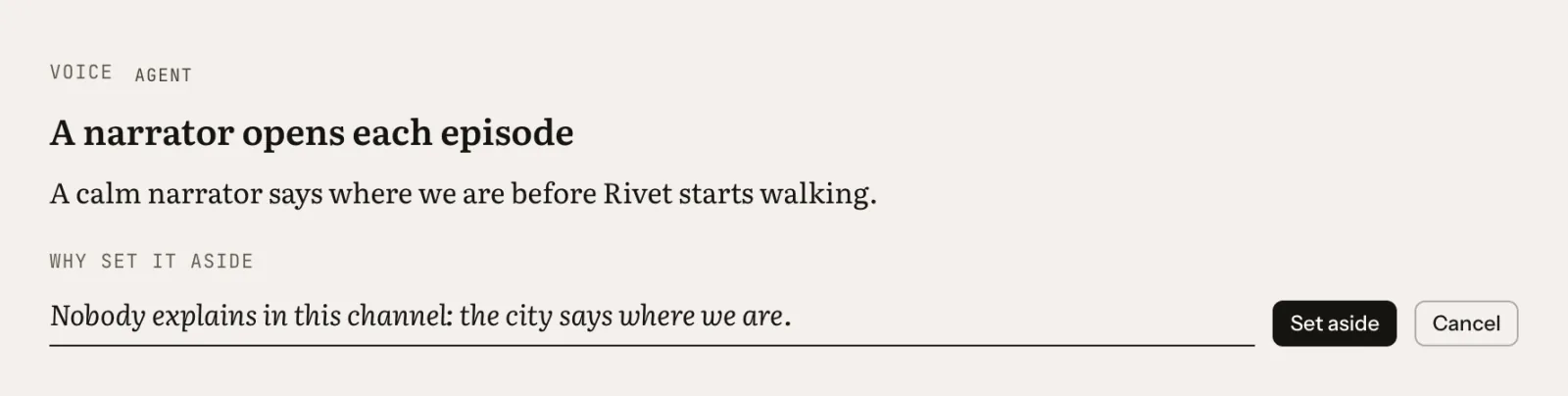 (Open the full picture)
Try it hereIllustration
Approve one proposal with a reason, then set the other aside: that button waits for its reason.
Waiting for you · 2
Proposed, not yet part of the direction. Approve it, set it aside, or rewrite it first.
A narrator opens each episode
A calm narrator says where we are before Rivet starts walking.
One new street per episode
Each episode visits a street Rivet has not walked before, so the map of the city grows.
In force
—
Behaves like the desk’s control. This page saves nothing and sends nothing.
Read the bible again
The entry you set aside has not gone anywhere. It sits under “Set aside, not deleted”, struck through and dated, with its reason, so nobody walks the same road twice. The agents no longer receive it.
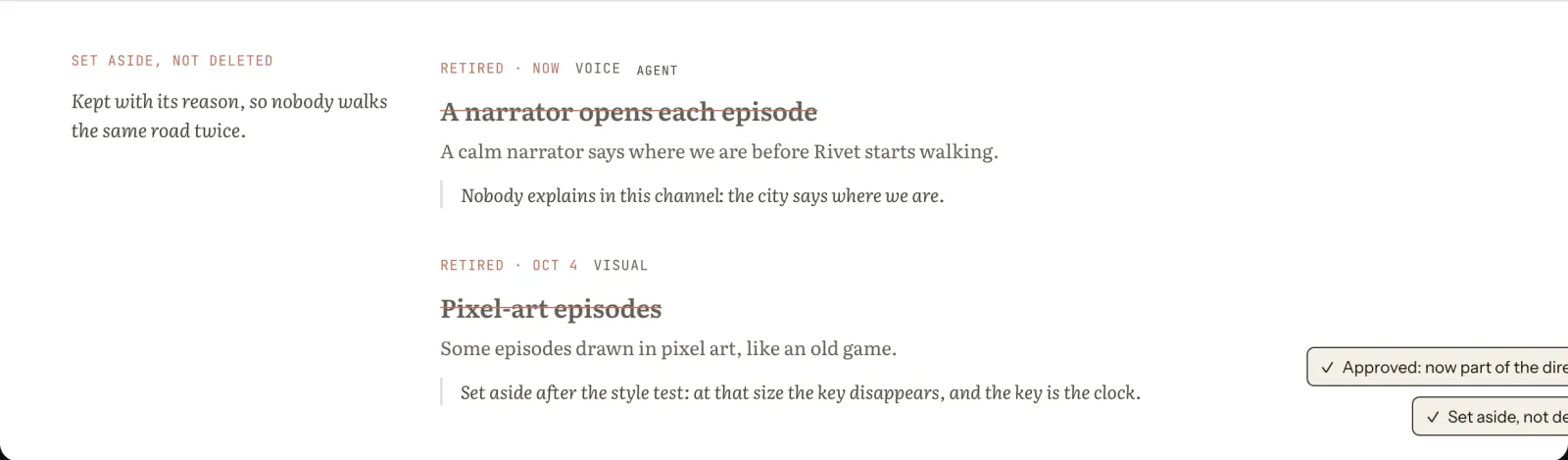 (Open the full picture)
If you change your mind, hover the entry and press Reinstate, which asks why too. Entries you write yourself with Add entry go straight into the direction: the decision is already yours.